
by Maya Hatt | Mar 10, 2026 | IT Network Support |

According to a 2023 WFH Research survey cited by Forbes Advisor, 12.7% of full-time employees worked fully from home and 28.2% worked hybrid schedules, while Forbes Advisor also reported an Upwork projection that 32.6 million Americans would be working remotely by 2026.
This shift changes how businesses handle IT needs. Remote IT support has become essential for companies with distributed teams. But what exactly is it? And why do small businesses need it?
This article explains remote IT support and its key benefits. You’ll learn how it cuts costs, boosts productivity, and keeps your team secure.
Table of Contents
What Is Remote IT Support?

Remote IT support means getting IT help from technicians who work off-site. They use secure tools to fix your tech problems over the internet. No office visit needed.
Your computer has an issue? A server goes down? Software won’t work? An expert can solve it remotely. They connect to your system from anywhere.
Many managed IT consulting services firms now offer this model. They provide both remote and on-site support. Most issues get fixed remotely. On-site visits happen only when required.
This approach works perfect for hybrid teams. Your staff can work from home, the office, or on the road. IT help reaches them wherever they are.
Cost Savings for Small Businesses
Small businesses save big money with remote IT support. Hiring full-time IT staff costs a lot. Salaries, benefits, and training add up fast.
Hiring one full-time IT employee is a major long-term commitment that also comes with added overhead.
Remote IT support gives you expert help, ongoing coverage, and a full team behind your business without needing to hire in-house.
Here’s what you get with that lower price:
- A whole team of experts (not just one person)
- Multiple specialists (networking, security, cloud)
- Coverage beyond normal business hours
- No hiring or training costs
Deloitte’s 2020 Global Outsourcing Survey said cost reduction had moved back to the top of outsourcing priorities, and research in the International Journal of Research in Marketing noted that outsourcing is widely used to convert fixed costs into variable costs, giving businesses a more flexible service model.
You pay only for what you need. As your business grows or slows down, your support can scale.
Remote IT support also cuts travel and downtime costs. No waiting for on-site visits. No paying for emergency trips. Issues get solved faster.
The money you save can fund growth. Put it toward marketing, expansion, or new hires. This helps create new revenue while cutting expenses.
Fast Response and Less Downtime
Remote IT support teams work 24/7/365. That means help is always available. Late night problem? Weekend emergency? Someone is there to help.
Traditional in-house IT only covers business hours. But tech problems don’t follow a schedule. Round-the-clock support keeps your business running.
Quick response times matter for hybrid teams. When staff depend on tech to do their jobs, any issue stops work. Fast fixes keep everyone productive.
A 2025 Forrester Total Economic Impact study found that proactive support through Microsoft Unified reduced customer-facing downtime events by 40% and cut the production time lost per event by 50%, while the 2025 Calyptix/ITIC SMB survey found that 37% of small and midsize businesses lose $1,000 to $5,000 for each hour of downtime.
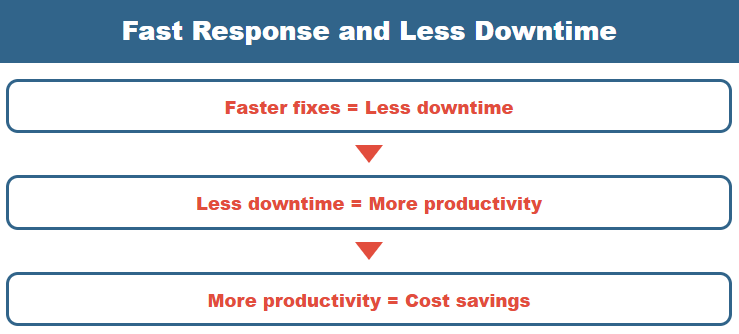
The math is simple:
- Faster fixes = Less downtime
- Less downtime = More productivity
- More productivity = Cost savings
This matters even more for teams across time zones. An employee in California has a problem at 7 AM? Someone in New York faces an issue at 10 PM? Both get immediate help.
Your staff stays focused on work instead of waiting for repairs. This boosts morale too. When people know help is ready, they feel supported.
Access to Expert Remote IT Support
Small businesses can’t afford to hire specialists in every IT area. But managed IT consulting services providers have experts in all fields.
When you use remote IT support, you tap into a deep pool of knowledge:
- Network specialists for connectivity issues
- Security experts for cyber threats
- Cloud professionals for modern infrastructure
- Software technicians for app problems
- Data specialists for backup and recovery
Clutch’s survey of 1,003 U.S. small businesses found that 26% of companies with 10 employees or fewer outsource mainly to get expert help, and with IT services ranking as the most commonly outsourced function, small businesses can tap into specialized support instead of relying on just one or two in-house generalists.
This levels the playing field. Small companies get the same quality IT support services as large corporations. You stay competitive with better tech.
Your provider also offers strategic advice. They help plan upgrades and align tech with business goals. This goes beyond fixing problems.
ISG reported that 57% of Global 2000 companies had at least one significant outsourcing contract in 2019, and summaries of the same ISG data show that 92% of those outsourcing companies used IT outsourcing, showing why outsourced tech support is worth considering for smaller businesses too.
Scalability for Growing Teams
Business needs change. You might add staff, open new locations, or shift to remote work. Remote IT support scales with you.
Adding support for new employees is easy. No hiring process. No training period. Just adjust your service plan.
This works great for hybrid teams. On-site staff and remote workers get equal support. No one waits longer for help based on location.
Benefits of scalable support:
- Add users quickly without hiring delays
- Support employees anywhere in the world
- Pay only for current needs
- Scale up or down as business changes
- Maintain consistent service quality
This flexibility helps you hire talent anywhere. Don’t worry about supporting someone in another city. Your IT provider handles it from day one.
When business slows down, you can reduce services. When you grow fast, support grows with you. This beats the fixed costs of in-house IT.
Better Security and Maintenance

Small businesses face constant cyber threats. Many lack dedicated security staff. Remote IT support fills this critical gap.
Good providers act as security guards for your systems. They offer:
- 24/7 threat monitoring to catch problems early
- Regular security patches to close vulnerabilities
- Antivirus updates to stop malware
- Firewall management to block attacks
- Data backups to prevent loss
- Incident response when breaches occur
These tasks happen in the background. Your systems stay protected without extra work on your end.
Proactive monitoring identifies issues before they create downtime. A failing backup is patched overnight. A server fault is repaired before your workday begins.
According to Deloitte’s 2022 Global Outsourcing Survey, 81% of CEOs rely on outsourced IT services for all or some of their cybersecurity needs. That provides peace of mind for business owners.
Compliance is important, too. If you work with health data (HIPAA) or credit cards (PCI), providers can assist you meet the regulations. This prevents expensive fines.
Prevention beats reaction. Good IT services for small business stop problems before they happen. This protects your data and your reputation.
What is the difference between remote and on-site IT support?
Remote IT assistance resolves issues over the internet without requiring actual visits. On-site service necessitates a professional visiting your place in person.
How quickly does remote IT support resolve issues?
Most difficulties are fixed within minutes to a few hours. Response times are frequently faster than on-site help because no travel is required.
Is remote IT help secure for my business?
Yes, reputable services employ encrypted connections and stringent security measures. They frequently give greater security than handling IT yourself without expert understanding.
Can remote IT support work for businesses with remote employees?
Absolutely. Remote support is ideal for distributed teams since technicians can help staff anywhere with an internet connection.
What types of problems can remote IT support fix?
Remote support handles most IT issues including software problems, network connectivity, password resets, security threats, and system updates. Only hardware repairs typically require on-site visits.
How much does remote IT support cost compared to hiring IT staff?
Remote support typically costs $40-$70 per user monthly. A full-time IT employee costs $90,000-$140,000 yearly including benefits, making remote support much more affordable for small businesses.
Get Reliable Remote IT Support Today
Remote IT support helps your business stay productive, secure, and supported without the cost of a full in-house team. Choose Down to Earth Technology for managed IT consulting and support backed by certified technicians, proactive maintenance, remote and on-site service, and practical solutions for small businesses, hybrid teams, medical offices, dental practices, and POS environments.
Book your free IT assessment today and let Down to Earth Technology build a support plan that fixes weak spots, protects your systems, and keeps your business running without costly downtime.
Let us handle your IT so you can focus on growing your business.