
by Maya Hatt | May 7, 2026 | Business Server |
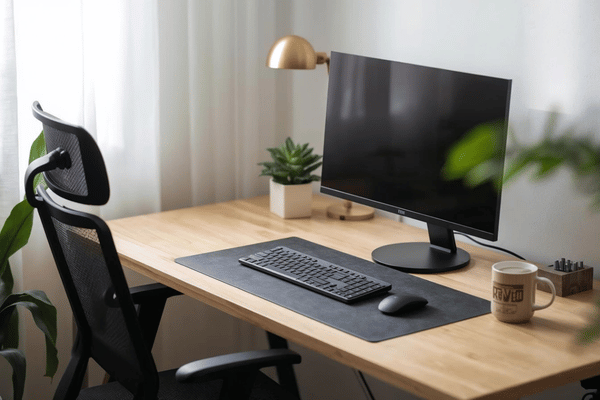
Choosing the right hardware can make or break your IT setup. Businesses today rely on both servers and workstations, but these two machines serve very different purposes. Understanding the difference helps you spend smarter and plan better for 2026 and beyond.
Table of Contents
What Is a Server?
A server is a powerful machine designed to run 24 hours a day, 7 days a week. It supports multiple requests from different users at the same time. Servers store data, run applications, run databases, and power virtualization.
Key hardware features include: multi-core CPUs, ECC RAM, redundant power supplies, and RAID storage. Top server companies like Lenovo, Dell, and HPE engineer these machines for maximum uptime. According to IDC, GPU-accelerated servers grew 192.6% year-over-year in Q4 2024, driven largely by AI workloads.
What Is a Technical Workstation?
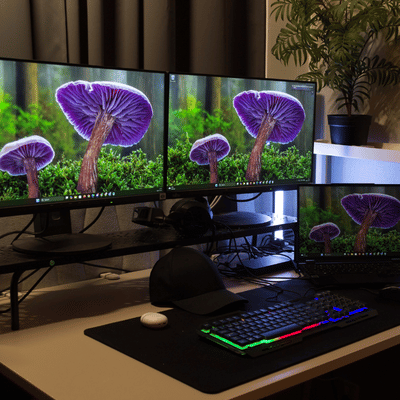
A technical workstation is a high-end desktop built for one power user. It handles demanding tasks like CAD design, video editing, engineering simulations, and AI model development.
Technical workstations are not like a regular PC; they use professional-grade CPUs and GPUs. They support more RAM and faster storage. According to a Lenovo/IDC report, workstations provide the best on-device AI inferencing, cutting cloud costs and keeping sensitive data local.
The Difference Between Workstations and Servers
Performance and Use Cases
Servers run shared services for whole teams or companies. Workstations are designed for a single person and heavy local work. Servers focus on multi-core throughput. Workstations combine single-thread speed with strong GPU performance.
Reliability and Uptime
Servers are built for always-on operation. They include:
- ECC RAM to detect and correct memory errors
- Redundant power supplies to eliminate downtime
- RAID storage for data security
Workstations bypass most of this redundancy. They rely on software backups and how users use it.
Manageability of Virtualization
IT teams remotely manage servers with tools like IPMI or iLO. Each workstation is handled individually. Servers are the virtualization leaders running VMware, Hyper-V or KVM at scale. Red Hat says 61% of enterprise workloads still run on VMs, with containers rising to 38%.
Security
Servers use hardware-level security. At the chip level, AMD Infinity Guard and Intel TME provide encryption. Workstations use TPM, BitLocker, and AV software. Hybrid work expands attack surfaces and faces increasing threats.
Servers are more expensive to run. You think about rack space, power, cooling, and IT staff. Workstations cost times the number of seats.
2026 Trends Shaping Business Hardware
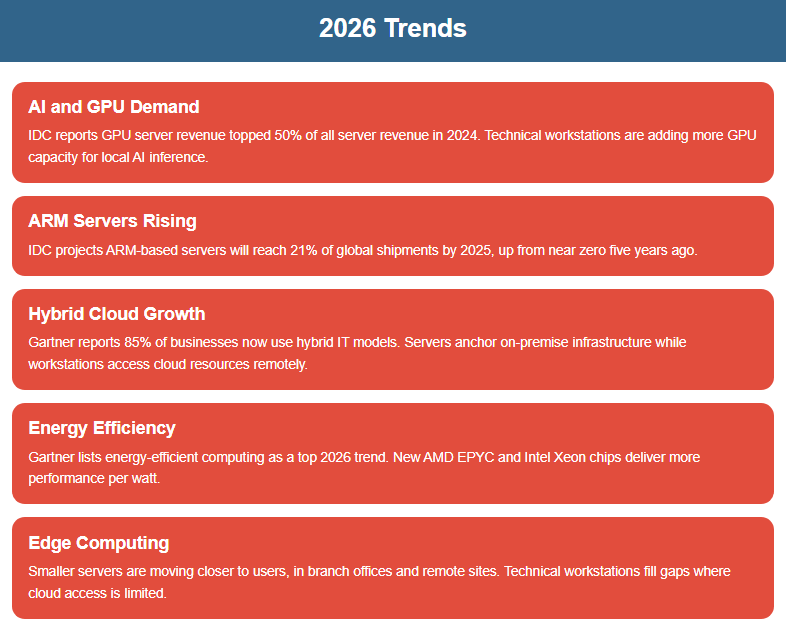
Both servers and workstations are changing fast. Here is what matters most right now:
- AI and GPU demand: IDC reports GPU server revenue topped 50% of all server revenue in 2024. Technical workstations are adding more GPU capacity for local AI inference.
- ARM servers rising: IDC projects ARM-based servers will reach 21% of global shipments by 2025, up from near zero five years ago.
- Hybrid cloud growth: Gartner reports 85% of businesses now use hybrid IT models. Servers anchor on-premise infrastructure while workstations access cloud resources remotely.
- Energy efficiency: Gartner lists energy-efficient computing as a top 2026 trend. New AMD EPYC and Intel Xeon chips deliver more performance per watt.
- Edge computing: Smaller servers are moving closer to users, in branch offices and remote sites. Technical workstations fill gaps where cloud access is limited.
Lenovo vs Dell Workstation: A Quick Look
When comparing Lenovo vs Dell workstation options, both offer strong lineups for business users.
- Lenovo ThinkStation: Known for quiet operation, ISV certifications, and strong AI workstation performance. The P-series covers entry-level to ultra-high-end workloads.
- Dell Precision: Solid performer with wide GPU options and strong enterprise software support. Popular in media and engineering teams.
For servers, top server companies like Lenovo (ThinkSystem), Dell (PowerEdge), and HPE (ProLiant) dominate the enterprise market. Your choice often comes down to existing contracts, support needs, and budget.
Not sure which setup is right for you? Get a Free Quote, and our team will match you with the right servers and workstations for your workload.
What is the main difference between servers and workstations?
Servers are built to serve many users at once, running 24/7 with hardware redundancy. Workstations are designed for one power user doing heavy local computing tasks.
Can a workstation be used as a server?
Technically, yes, but it is not ideal. Workstations lack ECC RAM, redundant power supplies, and the remote management tools that servers have, creating real reliability risks.
Which top server companies should I consider for my business?
Lenovo, Dell, and HPE are the leading server companies for business use. All three offer strong support contracts, enterprise-grade hardware, and scalable options for teams of any size.
How do I choose between a Lenovo vs Dell workstation?
Both are excellent choices. Lenovo ThinkStation models tend to lead in quieter operation and AI inferencing performance. Dell Precision is a strong pick for media production and engineering. Your software requirements and support preferences should guide the final call.
What are technical workstations used for?
Technical workstations handle tasks that regular PCs cannot manage well. Common uses include 3D CAD design, video rendering, machine learning development, and financial modeling.
Are servers and workstations still relevant in a cloud-first world?
Absolutely. Even with cloud adoption growing, 85% of businesses still use hybrid IT models (Gartner). On-premise servers and workstations reduce latency, improve data security, and cut long-term cloud costs for compute-heavy teams.
The Bottom Line
The right mix of servers and workstations can improve speed, security, and long-term growth, especially when the setup is planned by experienced IT professionals. Down to Earth Technology is headquartered in Waco, Texas, and helps businesses of all sizes, locally and around the world, customize Lenovo, Dell, and HP servers, workstations, maintenance, upgrades, and network support.
Speak with a certified technician today and get a custom server or workstation setup built around your real workload, budget, and growth plans.