
by Maya Hatt | May 18, 2026 | Business Server |
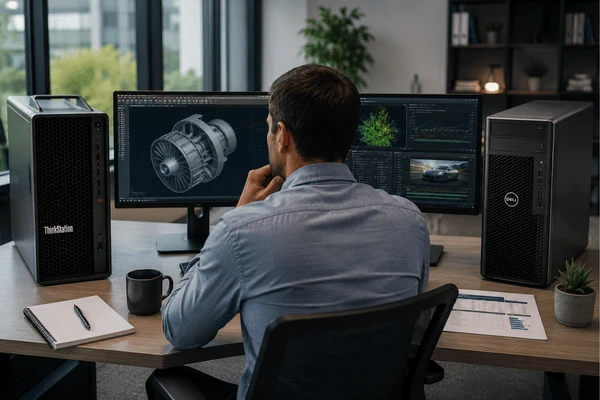
Choosing between a Lenovo vs Dell workstation setup is a common decision for IT managers comparing performance, reliability, and long-term value. Both brands build strong technical workstations for serious professional use. But they are not the same, and picking the wrong one costs time and money. At Down to Earth Technology, we help businesses right-size their servers and workstations for real workloads. This guide gives you a clear answer.
Table of Contents
Why Business Buyers Compare Workstations Differently
Workstations are not merely high-performance computers. They are officially certified machines built specifically to meet certain criteria. In looking for technical workstations for their businesses, companies should adhere to the following order of importance: fit for purpose, ISV certification, architectural design of CPUs and GPUs, scalability, manageability, support, lifecycle, and overall costs.
Autodesk and SolidWorks both have the Lenovo ThinkStation and Dell Precision workstations certified. However, the question that needs to be asked is whether they suit the specific process flow and deployment scheme that you use.
Lenovo vs Dell Workstation Lineups in 2026

In 2026, the workstation market switched noticeably between Lenovo and Dell. Lenovo revamped its entry market with the P3 Tower Gen 2 in 2025, followed by the P5 Gen 2 in April 2026, while the P8 and PX continue to be its high-end mainstays. The ThinkStation P8 can accommodate AMD Threadripper PRO processors, up to 1TB ECC memory, and up to 16 SSDs. With dual socket support and up to 120 CPU cores, the PX bridges the gap between the desk and the data center.
Dell still actively sells the Precision 5860, 7875, 7960 Tower, and 7960 Rack. The 5860 is publicly priced from around $7,376, the 7875 starts at $6,714 with AMD Threadripper PRO options up to the 9995WX, and the 7960 Rack starts at $7,982. Dell is also transitioning to a new “Dell Pro Precision” branding in 2026, with the Pro Precision 9 T2/T4/T6 desktop lineup launching in May 2026. If you are quoting now, confirm which generation you are buying.
Performance and Benchmarks
In SPECworkstation 4.0 testing, the ThinkStation P8 with 96-core Threadripper PRO 7995WX outperformed the Precision 7960 Tower in AI/ML, media, product design, CPU, and graphics categories. According to PassMark data, the Threadripper PRO 7995WX has a score of 141,126, compared to 90,597 for the Intel Xeon w9-3495X. The newer 9995WX has a higher score of 173,359.
Puget Systems’ third-party testing revealed that Threadripper PRO chips outperformed Xeon W-3400 processors in Unreal Engine and Lightroom Classic by 17% to 60%. Xeon still outperforms Intel-optimized operations; context is important. Puget Systems assessed the RTX 6000 Ada as 50% quicker than the RTX A6000 in GPU-intensive Premiere Pro operations and 83% faster in Redshift rendering.
Bottom line: If raw throughput is your priority, Lenovo’s AMD-based ThinkStation P8 leads the Lenovo vs Dell workstation comparison in most benchmarks.
Deployment, Support, and Total Cost of Ownership
Performance is only half the story. For IT teams managing fleets of servers and workstations, deployment and support matter just as much.
There are many enterprise tools within Dell’s suite. Client Command Suite is responsible for managing the BIOS and drivers centrally. The imaging tool used by Dell is called Image Assist, which deals with cross-platform imaging, whereas ProDeploy helps accelerate deployment and integration processes. There is also next-business-day onsite support available through ProSupport for all Dell Precision computers.
Lenovo’s story is unique, not weaker. Commercial Vantage and the Think Deployment Center provide adequate support for standard endpoint management. Lenovo stands out with ThinkStation BMC, which is available on select models. It enables IT teams to perform remote firmware updates, out-of-band power control, remote KVM, and serial-over-LAN without having to be present. This provides a significant advantage for remote labs, engineering clusters, and edge deployments. Learn about our custom Lenovo servers and workstations, as well as how we configure and support them for businesses like yours.
On security, Lenovo uses ThinkShield for Zero Trust device and firmware protection. Dell counters with SafeBIOS and Trusted Device. Both are enterprise-grade. The better question is which stack fits your existing IT process. Both brands also include 36-month base warranties with premium onsite upgrade paths. Always select your support tier before finalizing any purchase.
Best Picks by Business Type
SMBs and general office teams should begin with the ThinkStation P3 Tower Gen 2 for a clean, modern entry workstation. If you’re already a Dell user, the Precision 5860 provides clear pricing and reliable support. Don’t overspend on a flagship system for light CAD or everyday office tasks.
Enterprise IT and fleet teams will find Dell’s Precision 5860 or 7960 to be the safer option. Its imaging, lifecycle, and management tools are mature and simple to deploy at scale. Consider the Dell Pro Precision 9 lineup for your next refresh cycle.
Creative professionals doing 4K/8K editing, rendering, or motion graphics should look at the ThinkStation P8. It supports up to 1TB ECC DDR5 memory and 16 drives, and its public SPEC results are the strongest in this comparison. The Lenovo vs Dell workstation verdict firmly favors ThinkStation P8 for sustained creative workloads.
Engineers and simulation users running SOLIDWORKS, Revit, or CFD work get the best single-socket throughput from the ThinkStation P8. For dual-socket scale or rack deployment, compare ThinkStation PX against Precision 7960 Rack on architecture and support model rather than brand alone.
Mobile users who need ISV-certified performance on the move should look at Lenovo workstation laptops like the ThinkPad P1 Gen 9. Dell counters with its Pro Precision mobile Blackwell lineup launching in May 2026. Either way, match the spec to your software first.
Lenovo vs Dell Workstation: Head-to-Head Comparison
| Category | Lenovo ThinkStation | Dell Precision |
|---|---|---|
| Top CPU option | Threadripper PRO 9995WX PassMark: 173,359 | Xeon w9-3595X PassMark: 98,476 |
| Max memory | Up to 2TB DDR5 ECC (PX) | Up to 4TB (7960 Tower/Rack) |
| ISV certification | Certified for Autodesk, SOLIDWORKS, and more | Certified for Autodesk, SOLIDWORKS, Adobe, and more; stronger public certification UX |
| Benchmark performance | Leads in SPECworkstation 4.0 across AI/ML, media, and CPU | Strong, especially on Intel-optimized workloads |
| Deployment tools | Commercial Vantage, Think Deployment Center, ThinkStation BMC | Client Command Suite, Image Assist, ProDeploy Client Suite |
| Remote management | ThinkStation BMC: remote KVM, out-of-band power, firmware updates | SupportAssist with AI-driven telemetry via ProSupport Suite |
| Security | ThinkShield, Zero Trust, firmware, lifecycle | SafeBIOS and Trusted Device |
| Warranty baseline | 3-year with Premier Support Plus upgrade available | 36-month Basic Onsite with ProSupport upgrade available |
| Sustainability | Strong per-model disclosure; ENERGY STAR 8.0, EPEAT Gold | Up to 61.7% post-consumer recycled plastic across the Precision portfolio |
| Public pricing | Primarily quote-based through partners | More visible storefront pricing on most models |
| Best for | Performance-first rendering, simulation, AI, engineering | Deployment-first: fleet standardization, imaging, lifecycle management |
Is Lenovo or Dell better for SOLIDWORKS?
Both brands appear on the SOLIDWORKS certified hardware portal. The ThinkStation P8 generally delivers stronger benchmark results for heavy simulation. The Precision 7875 is a solid choice if you are already in the Dell ecosystem.
Which workstation is better for Premiere Pro and 3D rendering?

The ThinkStation P8 leads here. Puget Systems testing shows RTX 6000 Ada configurations deliver 50% faster GPU rendering than older pro cards. Creative teams doing 4K or 8K finishing benefit most from its memory and storage flexibility.
Are ThinkStation or Precision systems easier to manage at scale?
Dell has a more visible enterprise management stack with Client Command Suite and ProDeploy. Lenovo’s ThinkStation BMC is a strong differentiator for remote or infrastructure-style workstation management. The best fit depends on your current IT toolchain.
Do I need ISV certification or just a fast GPU?
For professional apps like AutoCAD, SOLIDWORKS, or Revit, certification matters. It validates hardware stability with that software. A fast but uncertified GPU can cause driver issues and void your support case.
Should my business buy a tower or a rack workstation?
Purchase a tower version for desktop application, and a rack version for nearby compute or server room installation. Both the ThinkStation PX and Precision 7960 Rack are good options, yet architectural planning is necessary prior to any quotation.
What amount of memory do engineering workstations need today?
A minimum of 32 to 64GB ECC makes sense when using basic CAD or BIM programs. For simulation or big assembly processes, expect no less than 128 to 256GB. Depending on your application needs, a professional version like the ThinkStation PX can even accommodate up to 2TB of memory.
Down to Earth Technology has over a decade of hands-on experience specifying, deploying, and supporting servers and workstations for businesses across industries. We are an authorized Lenovo partner with deep expertise in technical workstations for engineering, creative, and enterprise teams. We configure systems to match your exact workloads and back them up with local and remote support you can rely on.
We have helped teams running SOLIDWORKS, Premiere Pro, AutoCAD, and AI pipelines find the right Lenovo vs Dell workstation for their budget and goals. We handle the hardware, ISV certification, imaging, lifecycle planning, and TCO so you do not have to figure it out alone.
Ready to spec the right workstation for your business? Book a Free Consultation with Down to Earth Technology today.