
by Maya Hatt | Oct 3, 2026 | IT Network Support |
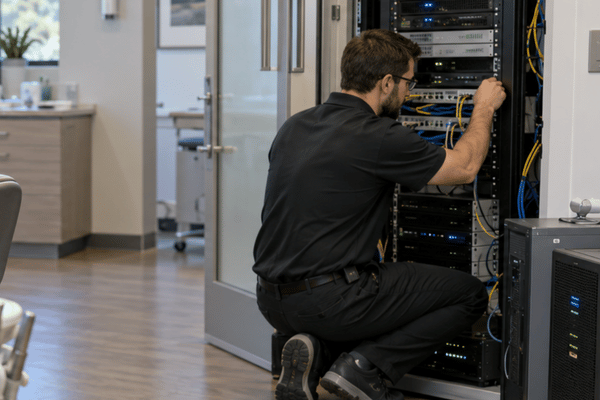
Dental IT support is about more than fixing a slow computer. In a dental office, IT also affects patient records, X-rays, billing, email, and daily scheduling. If the practice is covered by HIPAA, those systems need to be set up and managed with patient privacy in mind.
The stakes are measurable. A February 2026 analysis of HHS Office for Civil Rights data counted 710 reported healthcare breaches from 2025 affecting 500 or more individuals, although late reports could change that total. Of those breaches, 523 were listed at healthcare providers, and the median incident affected 4,011 people. IBM’s 2025 Cost of a Data Breach Report also found that healthcare had the highest average breach cost among the industries studied, at $7.42 million across its international study.
Table of Contents
What Is HIPAA-Compliant Dental IT Support?

Dental IT support helps a practice manage the systems that store or send electronic patient information.
That may include:
- Patient charts
- X-rays and scans
- Billing records
- Practice software
- Cloud storage
- Office computers and servers
HIPAA requires covered practices to protect electronic protected health information, or ePHI. The Security Rule groups those protections into administrative, physical, and technical safeguards.
In simple terms, a practice needs to control access, protect devices, plan for outages, and know where patient data is stored.
Not every dental office falls under HIPAA just because it keeps digital records. HHS says healthcare providers are generally covered when they carry out certain standard transactions electronically, such as insurance claims.
CMS has adopted such transactions, including the claim (X12N 837), the eligibility inquiry (270/271), and the claim payment advice (835), so an office that bills or checks eligibility electronically will normally be covered.
A security risk analysis is also required. HIPAA does not say it must be done every January or once per year. It should be reviewed again when major changes affect the practice.
HIPAA Compliant Server Requirements
There is no one server setup that automatically passes HIPAA.
The HIPAA-compliant server requirements depend on the size of the practice, the systems in use, and the risks involved.
For an office server, common safeguards may include:
- Limiting access to approved staff
- Using individual user accounts
- Keeping software updated
- Using firewalls
- Securing remote access
- Watching for malware
- Protecting patient data from unauthorized access
A server may be kept in a locked room or cabinet. That is a useful security step, but HIPAA does not require the exact same physical setup in every office.
Encryption is another area that often causes confusion.
Under the current HIPAA Security Rule, encryption is an addressable safeguard. A practice must look at its risks and decide whether encryption is reasonable and appropriate.
It sits at 45 CFR 164.312(a)(2)(iv) for stored data and 164.312(e)(2)(ii) for data in transit. Addressable is not optional: the office implements it, or documents why it is not reasonable and appropriate, and puts an equivalent measure in place.
Doing so has a useful benefit. According to OCR guidelines, ePHI that has been encrypted in accordance with HHS standards prior to an incident is not considered unsecured, so breach notification may not be necessary at all. For data at rest, the guidance refers to NIST Special Publication 800-111; for data in motion, it refers to NIST 800-52, 800-77, and 800-113. Therefore, the question is not just whether something is encrypted, but whether it is encrypted to a recognized standard.
Cloud systems are also allowed.
If a cloud provider creates, receives, maintains, or transmits ePHI on behalf of the practice, the provider is a HIPAA business associate, and a HIPAA-compliant Business Associate Agreement or BAA is required.
What Could Change Under the Proposed HIPAA Rule?
HHS proposed stronger Security Rule requirements in late 2024. It was published in the Federal Register on January 6, 2025, and comments closed on March 7, 2025.
Those changes have not become current law. As of September 2026, no final rule has been issued. HHS has moved the rulemaking (RIN 0945-AA22) to the long-term actions section of its Unified Agenda with a July 2027 estimate, a planning date rather than a deadline.
The proposal includes stricter rules for:
- Multi-factor authentication
- Encryption
- Network segmentation
- Asset lists
- Network maps
- Vulnerability scans
- Penetration tests
- Backup controls
- System recovery
It also includes a 72-hour recovery target for certain systems and data.
Dental and medical offices can prepare for these changes, but current compliance should still follow the rules in force today.
HIPAA Data Backup Requirements
The HIPAA data backup requirements are part of contingency planning.
A covered practice needs a plan for what happens when systems fail, data is lost, or normal operations are disrupted.
HIPAA calls for three main areas:
- Data backup plan: Keep retrievable copies of ePHI.
- Disaster recovery plan: Restore lost data after a problem.
- Emergency mode plan: Keep key functions running during an emergency.
All three are required specifications. Testing the plans and analyzing data criticality are addressable, so the office must either do them or record a reasoned alternative.
HIPAA does not say backups must happen once every 24 hours.
The right schedule depends on how often records change and how much data the practice could lose without serious problems.
For many offices, daily or more frequent backups are a sensible choice. A common baseline outside HIPAA is the 3-2-1 approach: three copies, on two types of media, with one held off-site. Deciding how much data the office can afford to lose, and how long it can afford to be down, is what sets the schedule.
HIPAA Data Backup Checklist
Key areas to consider when planning backups and recovery for systems that store ePHI.
01 FREQUENCY
Match the backup schedule to the amount of data change.
02 STORAGE
Keep protected copies away from the main system.
03 SECURITY
Protect backup data from unauthorized access.
04 RECOVERY
Have a clear process for restoring important data.
05 TESTING
Check that recovery procedures work.
06 COVERAGE
Include systems that store important ePHI.
Backups matter most on the worst day. OCR’s ransomware fact sheet treats ransomware on a covered entity’s systems as a security incident and presumes a breach unless the entity can show a low probability that PHI was compromised. It also states that frequent backups, and the ability to restore from them, are crucial to recovery.
A backup should not just exist on paper. The office needs to know whether important data can be restored when something goes wrong.
Patient record retention is a separate issue.
HIPAA does not set one national rule saying dental records must be kept for six or ten years. State law and other rules may set those time limits. In Texas, the State Board of Dental Examiners requires records to be kept at least five years from the last treatment, and for patients under 18 at that visit, until they turn 21 or five years, whichever is longer.
HIPAA does require some compliance records to be kept for six years.
IT HIPAA Compliance Checklist
This IT HIPAA compliance checklist covers some of the main areas a practice should review:
- Complete a security risk analysis.
- Recognize the location of ePHI storage.
- Restrict access based on your job role.
- Assign distinct user accounts to employees.
- Safeguard remote access
- Examine encryption
- Safe computers and servers
- Maintain accessible backups
- Make plans for recovery and outages.
- Train staff on security rules
- Install updates and patches.
- Review BAAs
- Remove access when staff leave.
- Keep guest Wi-Fi separate from sensitive systems.
This is a useful starting point. It is not a replacement for a full risk review.
Keep the paperwork alongside the controls: in an OCR investigation the first request is usually the risk analysis and the policies behind it.
The clock matters too. Following a reportable breach of unsecured PHI, affected individuals must be notified without unreasonable delay and no later than 60 days after discovery. Breaches affecting 500 or more individuals must also be reported to HHS within that period. Notice to prominent media outlets is required only when more than 500 residents of a single state or jurisdiction are affected.
Breaches affecting fewer than 500 individuals may be reported to HHS annually, no later than 60 days after the end of the calendar year in which they were discovered.
Ongoing IT Support for Medical Practices
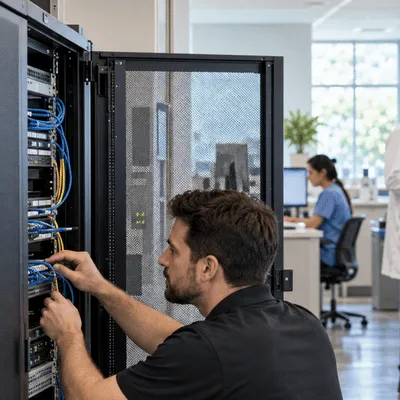
Reliable IT support for medical practices helps prevent small technical problems from turning into bigger office disruptions.
A dental practice may rely on several connected systems at once. These can include imaging software, scheduling tools, billing systems, email, servers, and cloud platforms.
Typical IT tasks could involve:
- Examining backups
- Updates are installed
- Taking care of accounts
- Examining alerts
- assisting with workstations
- Protecting remote access
- Eliminating previous user access
- Assisting employees with questionable emails
A problem with one system can affect more than one part of the office.
For example, a network issue may stop X-rays from loading. A failed server may block access to schedules or patient files. A bad backup can become a bigger problem after ransomware or hardware failure.
Down To Earth Technology provides managed IT support for businesses in and around Waco, Texas. That includes help with servers, networks, workstations, backups, and healthcare office systems.
For a HIPAA-covered practice, IT support should work alongside the office’s security policies and risk plan.
What makes dental IT support HIPAA compliant?
There is no single HIPAA-approved product or server. Compliance depends on how the practice protects ePHI across its systems. IT support can help manage access, backups, security settings, and devices.
How often does HIPAA require patient data backups?
HIPAA does not give a fixed daily or weekly schedule. The practice must keep retrievable copies of ePHI. The backup schedule should match the amount of data the office could afford to lose.
Can a dental practice use cloud servers?
Yes. HIPAA allows cloud services to handle ePHI. If the cloud provider creates, receives, maintains, or transmits ePHI on behalf of the practice, it is a HIPAA business associate, and a HIPAA-compliant BAA is required.
Is encryption required by HIPAA?
Encryption is currently an addressable safeguard. The practice must decide whether it is reasonable and appropriate based on its risks. HHS has proposed stronger encryption rules, but they are not yet in force.
Is multi-factor authentication required by HIPAA?
The current Security Rule does not require MFA in every situation. It is still a strong security step for email, remote access, and other sensitive systems. HHS has proposed making MFA a formal requirement with limited exceptions.
How often should a HIPAA risk analysis be done?
HIPAA does not set a once-a-year deadline. A practice should review its risks when important changes happen. That may include new software, a new office, a security event, or a major network change.
Dental offices depend on technology for much of the work they do each day. Keeping that technology secure takes more than one backup or one security tool. Good dental IT support helps the practice manage servers, networks, access, recovery, and daily IT problems while supporting its wider HIPAA duties.
Need help with your office IT? Contact Down To Earth Technology to learn more about managed IT support for dental and medical practices.