
by Nicole Urban | Sep 15, 2026 | Business Camera Systems |
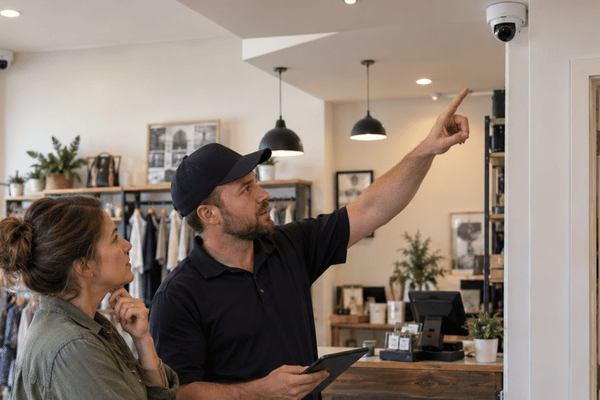
A small business security camera system should fit the way the building is actually used. A shop with one open sales floor may need only a few well-placed cameras. A building of the same size with side doors, hallways, storage rooms, and a parking lot may need far more.
That is why camera count should come later in the planning process. First, look at the areas that matter, the kind of detail you need, and how the footage will be stored. Wiring, network capacity, lighting, and mounting height all play a part, too.
Table of Contents
- What Is a Small Business Security Camera System?
- How Many Security Cameras Does a Small Business Need?
- Where Should Security Cameras Go?
- Does a Small Business Need 4K Cameras?
- How Much Video Storage Do You Need?
- Wired or Wireless Security Cameras?
- What Affects Security Camera Installation Cost?
- What Changed in 2026?
- Texas Security Camera Privacy Rules
What Is a Small Business Security Camera System?
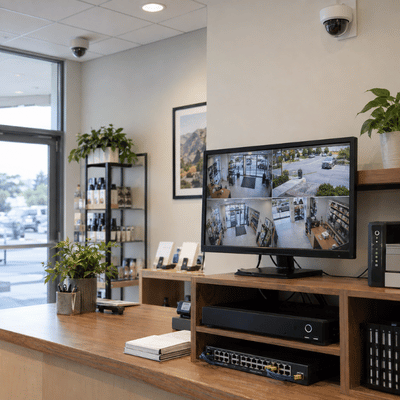
A small business security camera system is the full setup used to capture, record, store, and review video.
The cameras are only one part of it. A complete system may also have an Ethernet cable, network switches, power equipment, a recorder, storage drives, and software for live viewing or playback.
Down to Earth Technology installs wired and wireless systems. Some businesses record all day. Others record only during certain hours or when motion is detected.
Many newer setups use IP camera systems for business. These cameras send video through the network instead of older analog cable. That allows businesses to view cameras remotely, receive alerts, save footage digitally, and search recordings more easily.
How Many Security Cameras Does a Small Business Need?
There is no good answer based on square footage alone.
The layout matters much more.
Take two 3,000-square-foot businesses. One may have an open showroom with two doors. The other may have narrow aisles, several offices, a stockroom, and a rear loading area. They will not need the same number of cameras.
Start by walking through the property and asking where recorded video could be useful.
Common areas include:
- Entrances and exits: See who enters or leaves.
- Registers: Keep sales and payment activity in view.
- Stockrooms: Watch doors and controlled access areas.
- Loading areas: Monitor deliveries, staff, and vehicles.
- Parking areas: Cover the busiest routes used by people and cars.
Then look for anything that may block a camera. Shelving, columns, walls, signs, and door frames can create blind spots. Bright windows can also make it harder to see faces.
The final count should come from those conditions rather than a fixed camera-to-floor-space formula.
Where Should Security Cameras Go?
Good placement gives you useful footage. Poor placement can make an expensive camera nearly worthless.
Main doors are usually worth covering because people pass through a predictable point. Registers, stockroom doors, delivery areas, and parking lot access points are also common priorities.
Watch out for these common problems:
- The cameras are mounted too high.
- Bright windows behind the subject
- Shelves or signs blocking the view.
- One camera is trying to cover too much space.
- Poor lighting at night
- Cameras are placed in private areas.
Mounting height deserves extra attention. A camera installed high on a wall may show a large area, but faces can become too small to be useful.
A walkthrough before business security camera system installation helps catch these issues. It also gives the installer a chance to check cable paths, ceiling access, power, and nearby network equipment.
Does a Small Business Need 4K Cameras?
Not always. 4K can be useful when more image detail is needed, but resolution alone does not decide whether the footage will be clear. A badly placed 4K camera can still give poor results.
Distance matters. So do lighting, camera angle, and lens choice.
The IEC 62676-4:2025 video surveillance standard uses pixel density to describe how much detail a camera can provide. Axis Communications summarizes the levels this way:
| Viewing Goal | Approximate Pixel Density |
|---|---|
| Overview | 20 px/m |
| Discern Useful Differences | 80 px/m |
| Perceive Clear Features | 125 px/m |
| Characterize a Person | 250 px/m |
| Validate Fine Detail | 500 px/m |
A camera looking across a parking area may only need to show general activity. A camera facing a doorway may need much more detail.
License plates need a different setup again. A readable plate depends on speed, distance, lighting, glare, plate angle, and shutter settings. Higher resolution helps, but it does not solve all of those problems.
Choose the camera based on what you need from the footage.
How Much Video Storage Do You Need?
Storage is one of the easiest parts of a camera system to underestimate.
The amount you need changes with camera count, bitrate, recording time, and the number of days you want to keep the video.
For continuous recording, this simple formula gives a useful estimate:
Daily storage ≈ bitrate in Mbps × 10.8 GB
For eight cameras averaging 4 Mbps:
- One camera uses about 43.2 GB per day.
- Eight cameras use about 346 GB per day.
- Thirty days of footage needs about 10.4 TB
That is the raw estimate. The system may also need space for saved clips, backups, RAID, and normal storage overhead.
Motion recording can lower the total. The amount saved depends on the area. A quiet storeroom may record very little. A busy entrance may trigger for most of the day.
There is no single retention period that works for every business. Keep footage long enough to meet your operating needs and any legal, contract, or insurance requirements.
Wired or Wireless Security Cameras?
For cameras that stay in one place, wired PoE is often the practical choice.
PoE sends power and data through one Ethernet cable. That means each camera does not need its own nearby power outlet.
Standard copper Ethernet usually supports runs of about 100 meters. The network switch also needs enough PoE power for all cameras connected to it.
A small business wireless security camera system can make more sense when cable is difficult to run. This may happen in a detached building or a leased space where new wiring is restricted.
Wireless has tradeoffs. The cameras still need power, and Wi-Fi quality matters. Thick walls, long distances, or a busy wireless network can affect performance.
Whichever option you use, keep the system secure. Change factory passwords, update firmware, and avoid exposing cameras directly to the open internet.
What Affects Security Camera Installation Cost?
The commercial security camera installation cost can be very different from one property to another.
Camera price is only one piece of the budget.
Other costs may include:
- Cabling
- Mounts
- Network switches
- Recording hardware
- Storage drives
- Backup power
- Labor
- Lift or ladder access.
- Setup
- Testing
- Maintenance
Other Costs May Include
Additional equipment, installation, and ongoing service costs can affect the total price of a security camera system.
|
1 Cabling |
2 Mounts |
|
3 Network Switches |
4 Recording Hardware |
|
5 Storage Drives |
6 Backup Power |
|
7 Labor |
8 Lift or Ladder Access |
|
9 Setup |
10 Testing |
|
11 Maintenance | |
In a small office, a four-camera job might be simple. Long cable runs, high ceilings, lifts, and additional installation time may be required for a four-camera job in a warehouse.
The cost is also altered by storage. More space is needed to store a month’s worth of high-quality video than a week’s worth of motion-based recordings.
Ask for an itemized quote rather than one flat price per camera. It makes it easier to see how much is going toward equipment, labor, wiring, and storage.
What Changed in 2026?
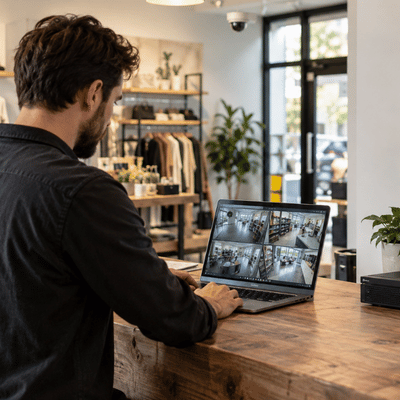
Camera systems are becoming better at helping businesses find useful footage instead of simply storing it.
Genetec’s 2026 State of Physical Security Report included more than 7,300 security professionals. It found that interest in AI use more than doubled among end users.
In practice, AI can help narrow down alerts, search recorded video, and reduce the amount of footage someone has to review by hand. It can be useful, but it still depends on clear video from properly placed cameras.
Hybrid systems are also becoming more common. A company might keep its recorder and some storage on-site while using cloud tools for remote access or system management.
Security standards are changing as well. ONVIF plans to end support for Profile S on March 31, 2027. The group recommends newer options such as Profile T as manufacturers move away from older authentication methods.
Texas Security Camera Privacy Rules
Texas businesses need to think about privacy when choosing camera locations and enabling audio.
Texas Penal Code Section 21.15 covers visual recording in places where people have a reasonable expectation of privacy. Bathrooms and changing rooms are included. Surveillance cameras should stay out of those areas.
Audio is a separate issue.
Texas generally allows a conversation to be recorded when one party is involved or has given consent. An always-on microphone can capture conversations where the business is not taking part, so audio use needs its own review.
Another set of guidelines is introduced by facial recognition. Face geometry records are treated as biometric identifiers under the Texas Business & Commerce Code Chapter 503. In general, notice and consent are needed for commercial capture.
Any business planning to use microphones or biometric tools should get legal advice based on the exact setup.
What is a small business security camera system?
It is the full group of cameras and equipment used to watch, record, store, and review video. That may include network gear, recorders, storage drives, and viewing software. The setup should match the building and the areas that need coverage.
What is the required number of cameras for a small business?
A set number does not exist. Start with loading zones, outdoor access points, storage rooms, checkout areas, and entrances. When one view is insufficient to provide sufficient detail, add more cameras.
Are IP camera systems for business better than analog?
IP systems are often easier to manage and expand in a new installation. They work well with network storage, remote access, alerts, and newer search features. Analog or hybrid systems can still be useful when good coax cabling is already in place.
Should I go with wireless or wired cameras?
Permanent camera locations are frequently a good fit for wired PoE. In situations where installing Ethernet is challenging, wireless can be helpful. The first things to check are power, signal strength, distance, and building layout.
What influences the cost of installing commercial security cameras?
The cost of the camera is only a portion of the total. Costs can vary depending on labor, cabling, storage, mounting height, network equipment, and site access. Comparing those fees is made simpler with a comprehensive quote.
In Texas, are business security cameras able to record audio?
In general, conversations in Texas are subject to a one-party consent rule. Even so, there may be additional legal issues with an always-on camera microphone. Before turning it on, check the audio configuration.
A camera system should make it easier to see what happened, where it happened, and when. That comes down to good placement, enough storage, and a network that can support the system reliably. Down to Earth Technology can help plan and install a setup around the property instead of forcing every business into the same package. Get a quote today for your business surveillance system.